Music MCP app icon

Your AI agent is the DJ.

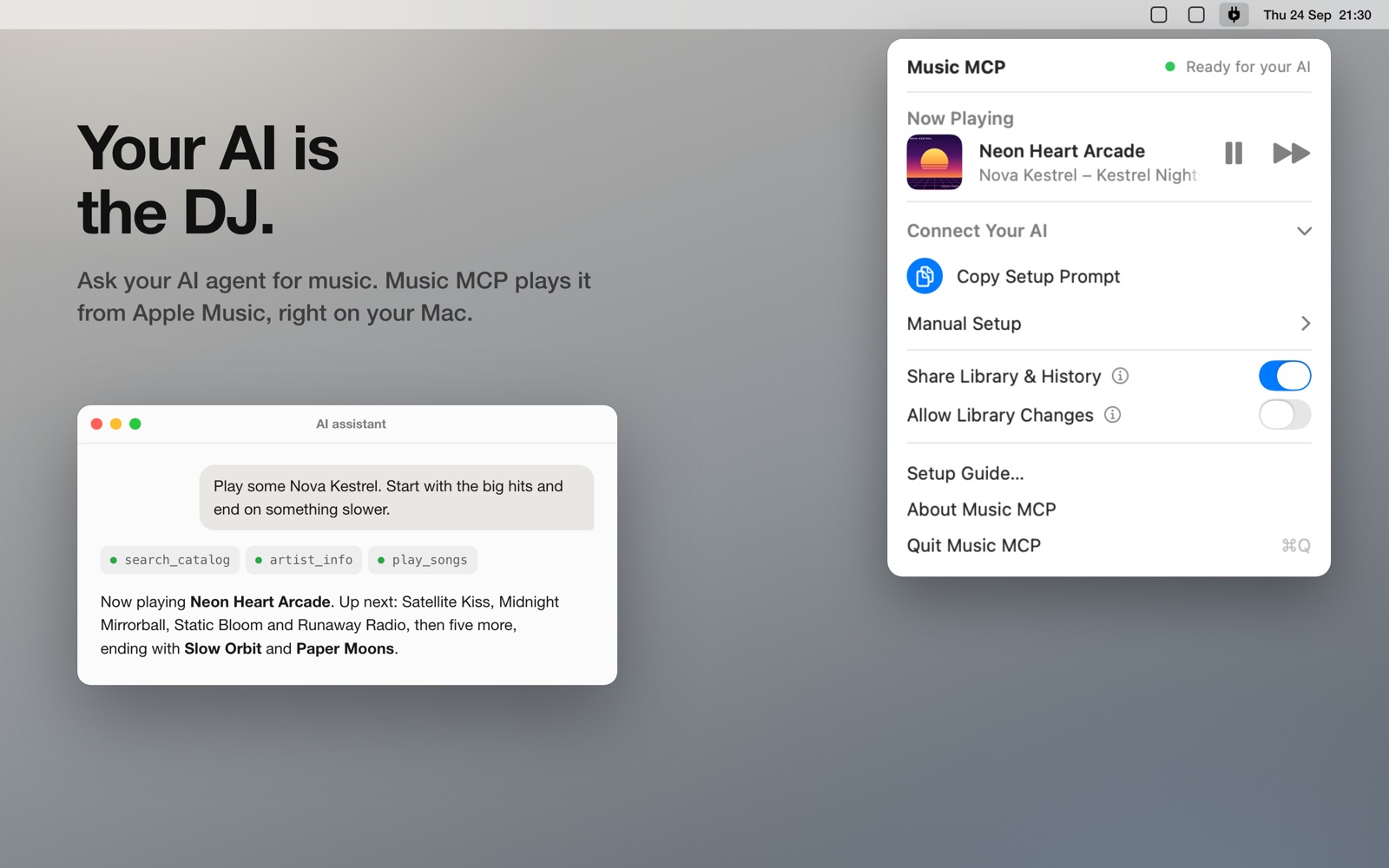
Ask your AI agent for music. Music MCP plays it from Apple Music, right on your Mac.

Free · no account, no tracking · macOS 14 or later · checked by Apple · updates itself · direct download is version 1.4.17

An AI assistant chat asking for music next to the Music MCP menu bar panel, which shows the song that's playing.

Works with any AI agent

Music MCP is an MCP server in your menu bar. Copy the setup prompt, paste it into your agent, and it connects itself.

A real DJ

Your AI searches the Apple Music catalog and radio stations, looks up top songs, new releases and similar artists, and builds a set that flows.

Sets that fit your taste

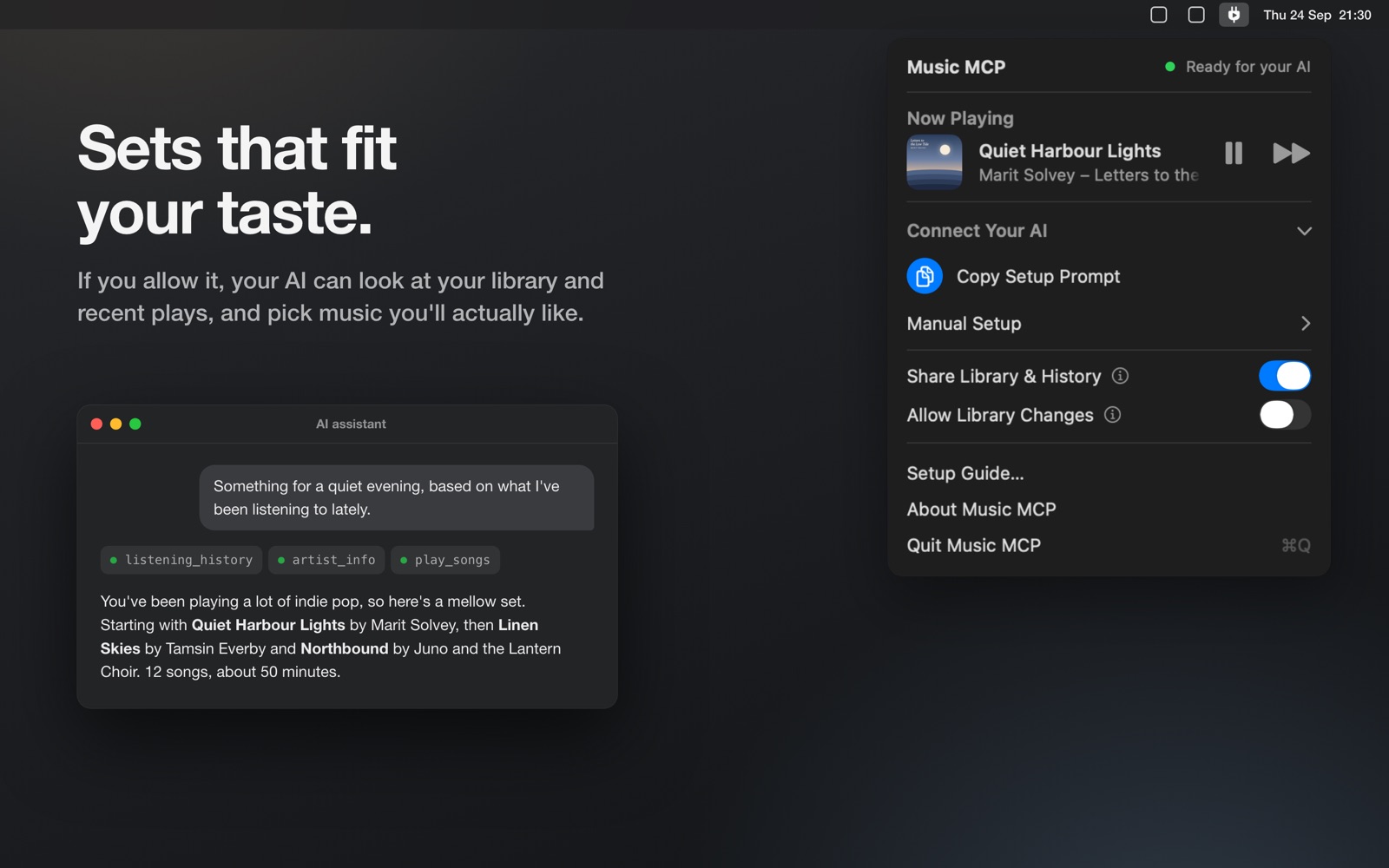
If you allow it, your AI can see your library and recent plays, and pick music you'll actually like.

Save your sets

If you allow it, your AI can save a set as a playlist, add music to your library, and love or dislike songs. It can't delete anything.

Native and lightweight

A small Mac app in your menu bar, in 11 languages. It plays with Apple's own player and keeps going when your AI app is closed.

Private by default

The server only listens on your Mac and needs your access token. No account, no tracking. Music MCP collects no data.
See it in 44 seconds

Watch on YouTube

An AI assistant building a mellow evening set from the listening history, next to the Music MCP panel in dark mode.

Set up in a minute

  1. Download and open. Move Music MCP to Applications and open it. It lives in the menu bar and has no Dock icon. Choose Set Up Apple Music and allow access.
  2. Connect your AI. Under Connect Your AI, click Copy Setup Prompt and paste it into your agent. It adds Music MCP to its own settings.
  3. Ask for music. Tell your agent what you're in the mood for, for example “something calm for a late evening”.

Or add it by hand. Music MCP is a local MCP server (Model Context Protocol) that AI apps start as a command; it needs no token and no account. The path has no space in it, so it also works in apps that take the command as one line. (A copy installed before version 1.4.12 may still be named differently: Manual Setup in the panel has the commands with its path.)

Claude Code

claude mcp add --scope user music-mcp -- '/Applications/MusicMCP.app/Contents/MacOS/MusicMCP' --stdio

Codex CLI

codex mcp add music-mcp -- '/Applications/MusicMCP.app/Contents/MacOS/MusicMCP' --stdio

Claude Desktop, Cursor, Windsurf, Gemini CLI and other apps with an mcpServers config

{
  "mcpServers": {
    "music-mcp": {
      "command": "/Applications/MusicMCP.app/Contents/MacOS/MusicMCP",
      "args": [
        "--stdio"
      ]
    }
  }
}

What your agent can do

Music MCP gives your agent 23 tools. Reading your library and changing it are each off until you allow them.

Questions

What is Music MCP?

Music MCP is a free menu bar app for the Mac and a local MCP server (Model Context Protocol). It lets an AI agent search Apple Music and play songs on your Mac, so you can ask for music in plain words.

Which AI apps work with Music MCP?

Any app that supports MCP servers and runs on the same Mac, such as Claude Code, Claude Desktop, Codex CLI, Cursor, VS Code, Windsurf and Gemini CLI.

Do I need an Apple Music subscription?

Yes, to play songs. Your AI can search the catalog without one.

Can my AI see my library?

Only if you allow it. The first time your AI wants your library, Music MCP asks you in a small window. You can switch Share Library & History on or off in the panel at any time.

Can my AI change my library?

Only if you allow it. Then it can create playlists, add music to your library, and love or dislike songs. It can't delete or rename anything.

Does music keep playing when I close my AI app?

Yes. Playback runs in Music MCP, not in your AI app. Quitting Music MCP stops it.

Can I play on a HomePod or another AirPlay speaker?

Yes. Music MCP plays on your Mac's sound output, so choose the speaker there: in Control Center under Sound, or with the speaker button in the Music MCP panel, which opens the Mac's sound settings. All of your Mac's sound then goes to that speaker.

What does it cost?

Music MCP is free. There is no account and no subscription other than Apple Music itself.

How is it updated?

The version you download from musicmcp.app updates itself: it looks for a new version once a day and installs it after one click. The Mac App Store version is updated by the App Store.

Can other devices on my network reach it?

No. Music MCP only accepts connections from your own Mac: its server listens on 127.0.0.1, which other computers, phones or AI agents on your network can't reach, and a direct connection also needs your access token. Programs running on your Mac under your account can use it, as with any app you run; they still can't delete anything.

More answers and troubleshooting on the support page.

What you need

More Mac apps from Coolplay

Signature MCP

Your AI agent asks for a signature when a document needs one. You sign in a window on your Mac.

Look MCP

Show your AI one window, and it points at what to click. The clicking and typing stay with you.

WindowHopper

A quick search for every open window and browser tab on your Mac. Type a few letters and jump there.

See them in action on YouTube